This is a live preview page for a couple of different ways to hide easter eggs on your website! Some types of easter eggs rely on random chance (ex. there's a % chance that something's a little different from usual when you load the page), but because those would be hard to show in an example without making you refresh the page a billion times, I've also added buttons to this page. (It's still random though, so you may have to click them a couple of times before you see anything different).
HOVER TEXT
One of the easiest ways to add a hidden surprise into a page is adding hover text to something. One of the words in
There's not a lot of hovering on touch-screen devices, so hover text works best on websites you expect to be viewed on a computer with a mouse.
INVISIBLE TEXT
Text can be styled in all sorts of ways, including ways that make them really hard to see. Below are two pieces of text that have been hidden - try selecting them!
Other things besides text can be styled to be invisible too, such as buttons. Isn't there kind of a suspicious indent next to this paragraph...?
HIDDEN LINKS
Generally, you'll want links to be clearly visible so people know where to click, and by default links have an underline and a different color to set them apart from regular text. If you style your links to look the same as your regular text, someone won't see they're links unless they hover over or click them.
This is an example of a hidden link.
And this is an example of an extra-hidden link!
And on the flip side, you could prank someone with
RANDOM TEXT
With a bit of
Here's another example:
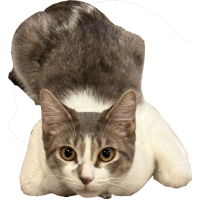
IMAGE MAPS
Image maps can be used to hide secrets in your images, such as hover text or links that only apply to a small portion of a bigger image. For example, why not try hovering over Miso's head to see what she's thinking? And what happens if you try to pet her back?
Image maps are a little more difficult to make because they involve finding and mapping out a lot of different coordinates on your pictures, but you can do some really fun stuff with them. If you'd like to learn more about image maps, take a look at the W3Schools guide on them.
IMAGE MANIPULATION
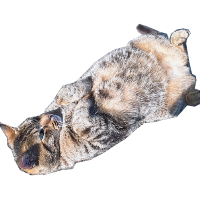
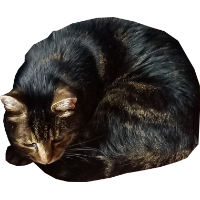
Besides image maps, there's lots of other fun things you can do with images. The first image in this example has a 25% chance of being a dog instead of a cat. The second image reacts to being hovered over and clicked on. The third image changes on click.
IN THE HTML
Regular visitors are unlikely to poke around in the actual html of your page, but it's a great place to leave something for the people who do! The code live preview pages were made specifically for you to poke around in the page source and see what's going on behind the scenes, so you might already have seen it's full of annotations... it can also be a good place to leave a hidden message! In an html file, comments are enclosed in <!-- and -->.
Another way of hiding something in the page code is to simply mark it as hidden. There's another paragraph after this one, but it'll be ignored while loading the page.
Because it's so similar in appearance to a regular paragraph, it might be hard to spot even if someone checked out the page source, though.
A final word of advice on easter eggs: don't make them
Any of the techniques shown on this page can be used in combination with each other not only to create easter eggs, but also to hint at them! You can add hover text, change cursor types, add colors and styling in unexpected places, and so on, to hint at there being more to find.
Good job on finding me, detective!